Hi guys,
Another question :p
Well ive noticed lately that, when i use my microphone for voice convos ( like MSN ), i get told that other people can hear the sounds that my PC makes ( like if i the Windows error sound or MSN sign-in sounds ) and also myself speaking.
So i did some experiments and also noticed that, i can hear feint sounds aswell. So say if im playing music, and talking, the output would be the music and myself talking.
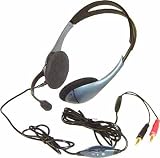
Im using a set of logitech headphones btw, and it happens with the sound muted or unmuted.
Im using the onboard sound card with the mobo ( Gigabyte )
So is this a sign saying that my on-board sound card is stuffed, time to get a proper sound card?
Cheers guys.
It is currently Tue Oct 20, 2026 9:05 pm
PCTech Forums
A friendly computer support place
Microphone, and other sounds.
11 posts
• Page 1 of 1
Microphone, and other sounds.
 by Jas0n » Thu Sep 07, 2006 11:27 am
-

Jas0n 
- Senior Geek
- Posts: 119
- Joined: Sat Sep 25, 2004 1:00 am
- Location: Australia, Melbourne
Thanks given:0
Thanks received:0
by Gecko » Thu Sep 07, 2006 1:12 pm
When electricity passes through copper wire an electro-magnetic field is created.
This electro-magnetic field can cause interference to any close proximity device or wire.
If the wires to your head set have become twisted inside the wire casing
the electro-magnetic field coming from the speaker wire could be crossing over to the microphone wire.
This electro-magnetic field can cause interference to any close proximity device or wire.
If the wires to your head set have become twisted inside the wire casing
the electro-magnetic field coming from the speaker wire could be crossing over to the microphone wire.
-

Gecko 
- Super Moderator
- Posts: 5209
- Joined: Thu Oct 25, 2001 1:00 am
- Location: Florida, USA
Thanks given:1
Thanks received:23
by Jas0n » Thu Sep 07, 2006 1:15 pm
yeah but heres the weirdo thing, i just tried b4, and the headset was nowhere near connected. Onli thing connected was the PC speakers. And i did the sound record crap and its still teh same...
-
Jas0n - Senior Geek
- Posts: 119
- Joined: Sat Sep 25, 2004 1:00 am
- Location: Australia, Melbourne
Thanks given:0
Thanks received:0
by Gecko » Thu Sep 07, 2006 1:43 pm
OK so much for that science lesson 
It could be the onboard sound card does not have enough shielding and that is why you are picking up the extra sounds.
It could be the onboard sound card does not have enough shielding and that is why you are picking up the extra sounds.
-
Gecko - Super Moderator
- Posts: 5209
- Joined: Thu Oct 25, 2001 1:00 am
- Location: Florida, USA
Thanks given:1
Thanks received:23

by Jas0n » Mon Sep 11, 2006 8:52 am
muted or unmuted via the sound options i still hear the wrido in-PC sounds, and amazingly i can still be heard with the mute on? ( tested on BF2 )
-
Jas0n - Senior Geek
- Posts: 119
- Joined: Sat Sep 25, 2004 1:00 am
- Location: Australia, Melbourne
Thanks given:0
Thanks received:0
by peahead » Thu Sep 14, 2006 8:41 pm
are you sure your computer is ticked to use mic in and not sterio mixer? sterio mixer will play your pc sounds and music etc to other people also....check that 
Specs Windows XP Pro SP2,AMD Sempron XP 2800+, 1.5GB of RAM, NVIDIA 6200
-

peahead - Senior Geek
- Posts: 382
- Joined: Fri Oct 22, 2004 1:00 am
- Location: Haslingden,England(near Manchester)
Thanks given:0
Thanks received:0
11 posts
• Page 1 of 1
Who is online
Users browsing this forum: No registered users and 0 guests